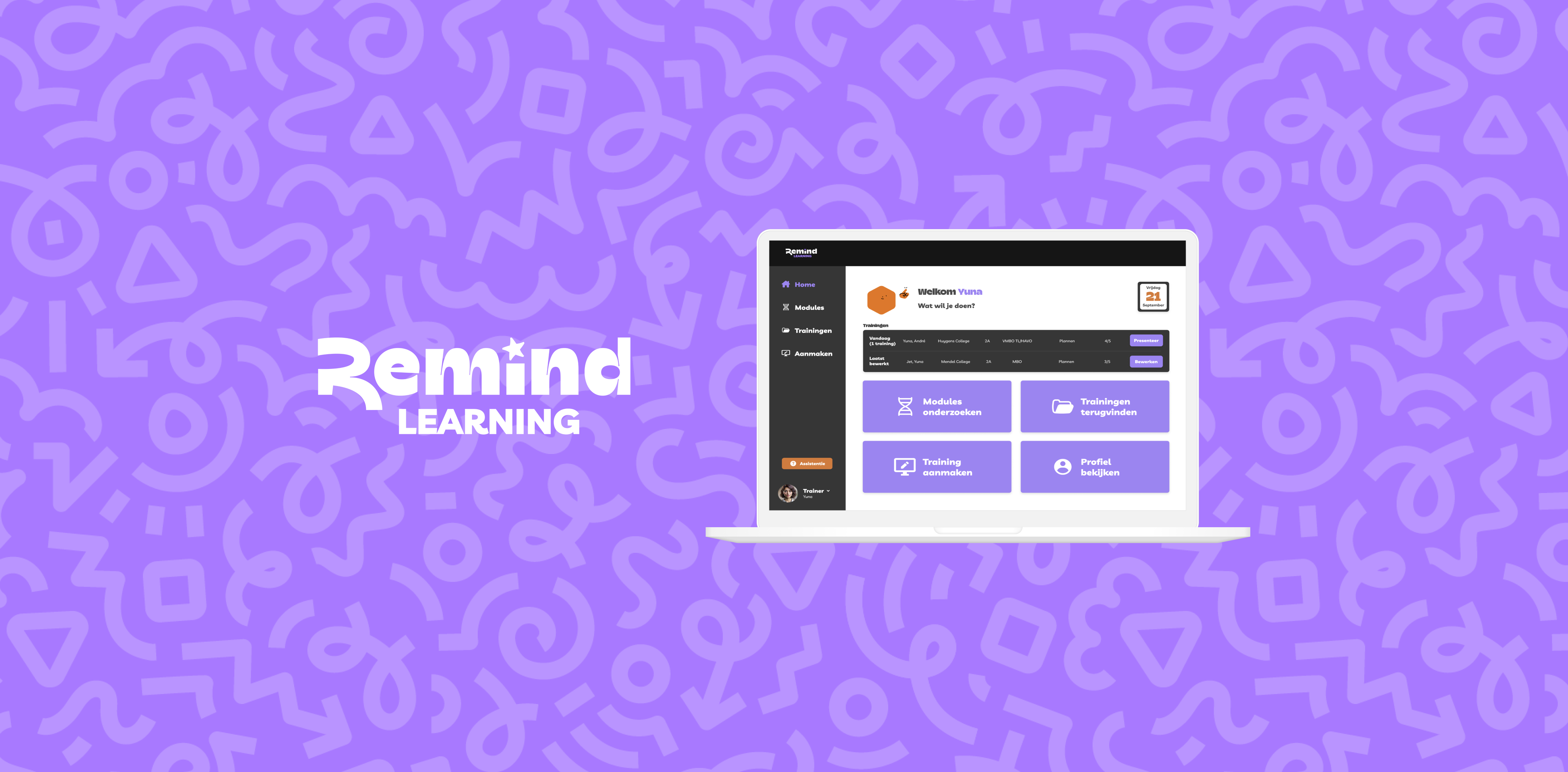
This was my graduation project, completed alongside my cum laude diploma. I received a grade of 9 for the work and results.
Introduction
What is the project about?
Remind Learning aims to transform schools into environments where students learn effectively through experimentation, using fixed modules. As trainers currently rely on external platforms, I explored what a dedicated platform could look like as a trainer and UX designer during my graduation project. This resulted in a platform as a starting point for a potential next step.
Results in numbers
What are the biggest advantages?
3 months: Project duration
1 platform: Starting point for future development
2 prototypes: Dutch and English versions
6 iterations & 22 user tests: Extensive research on workflows and validation of ideas; multiple rounds of user testing to validate the prototypes
2 user groups analyzed: Trainers and mentors; all requirements have been integrated into the platform
1 document: Prepared for the international development team with details for next steps
100% style guide compliant: Designed according to Remind Learning style guide
What was the main goal of the solution?
Remind Learning wanted to consolidate four external platforms into a single environment for delivering training and mentoring sessions. While the initial goal was to create one central platform, user research revealed that the main frustration lay in the experience of creating and delivering presentations. The core challenge became designing a platform that improves this process, with the slide editor and presentation features as the primary focus, supported by preparation and evaluation tools that Remind Learning was already using.
The starting point, with 'how' to keep the solutions open.
The specific end question after iterations during the proces.
Approach
How did I approach this project?
During the process, I deliberately applied the Double Diamond methodology to alternate between broad exploration and focused decision-making. By continuously gathering and applying insights, the user remained central throughout every phase.
It quickly became clear that the new Remind platform needed to be more than just a digital environment. To truly support teachers and trainers in preparing and delivering training sessions, the platform had to align with their workflows.
Using the SUE Behavioural Design methodology, I explored not only what tools trainers use, but more importantly, why they choose to use or avoid them. Translating these behavioral insights into design resulted in a platform that motivates users while supporting Remind’s organizational goals.
Insights
Reseach methods
Which methods did I use?
I applied a variety of research methods. This included contextual-, qualitative-, and quantitative research.
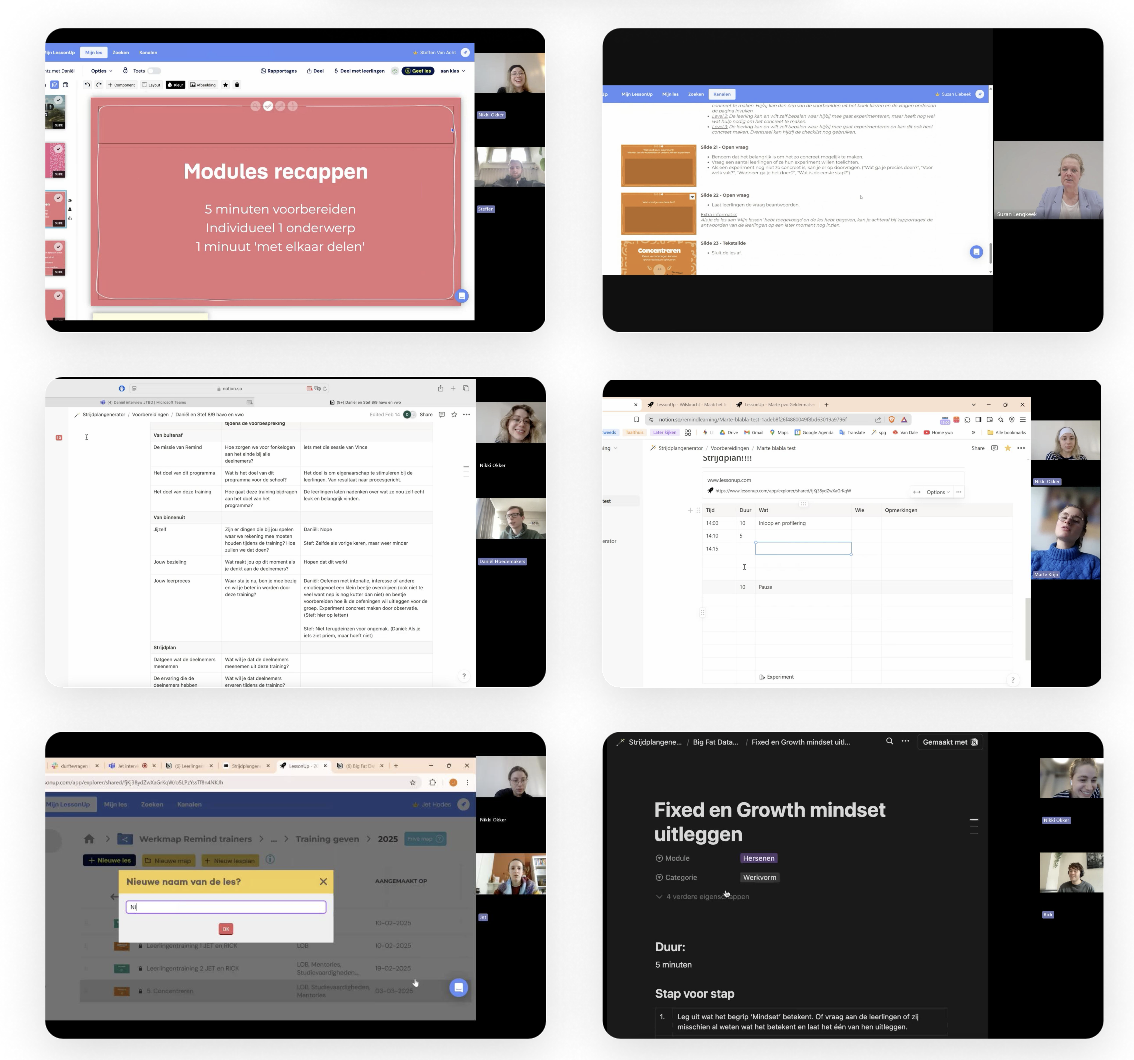
Fly-on-the-wall observation: I unobtrusively observed users during the whole proces to identify natural patterns, problems, and needs.
Jobs-to-Be-Done interviews: By exploring the underlying 'jobs' users aim to accomplish, I gained insight into their functional, emotional, and social motivations through usability testing & how + why questions. This method is based on the SUE methodology.
Patterns in current user behavior: Through analysis of interviews and observations, I identified recurring behavioral patterns and pain points.
Surveys: Additional quantitative data helped reinforce and validate the qualitative insights.
Usability tests with different stakeholders.
Results
How did I find the most important insights?
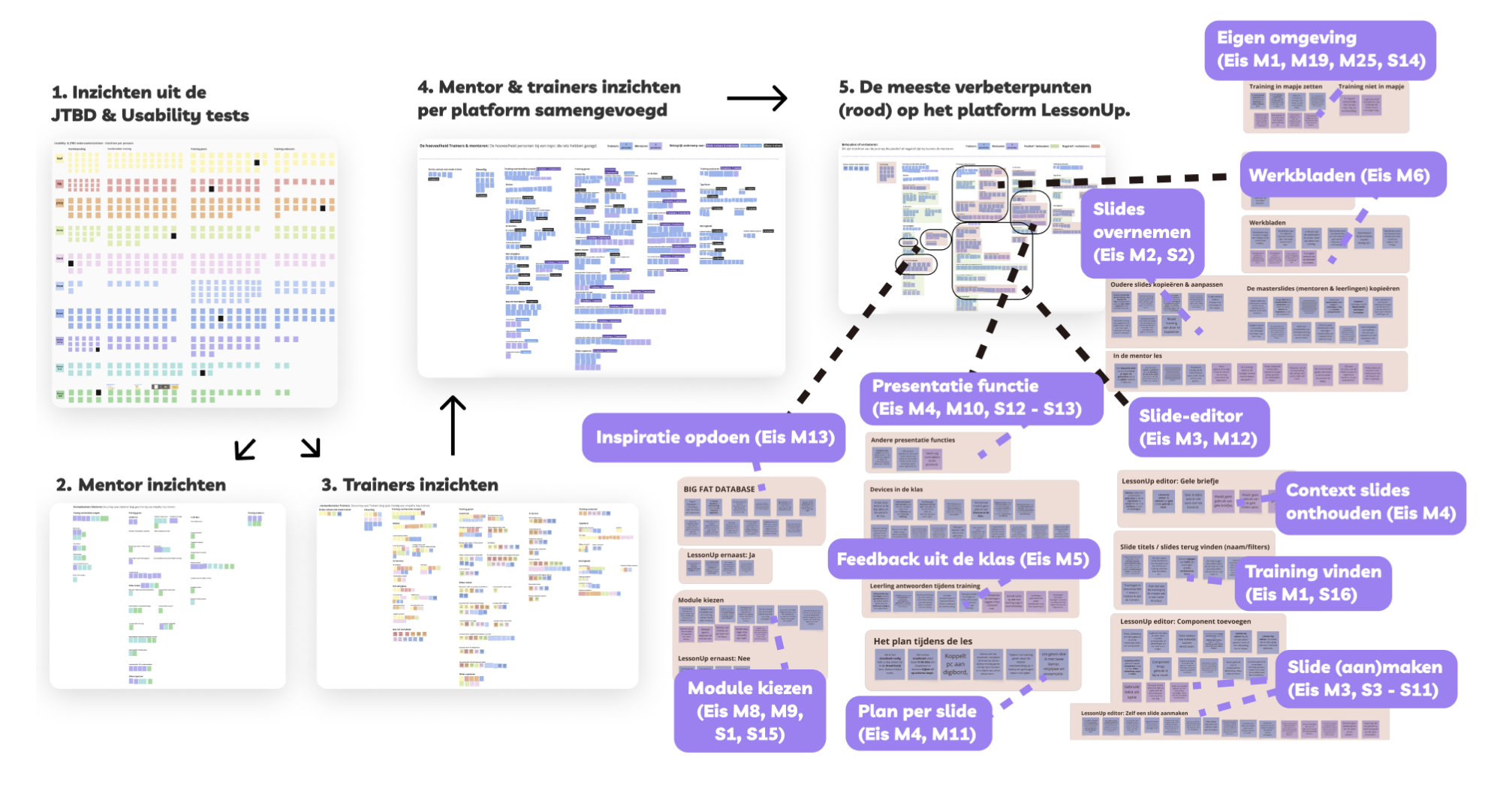
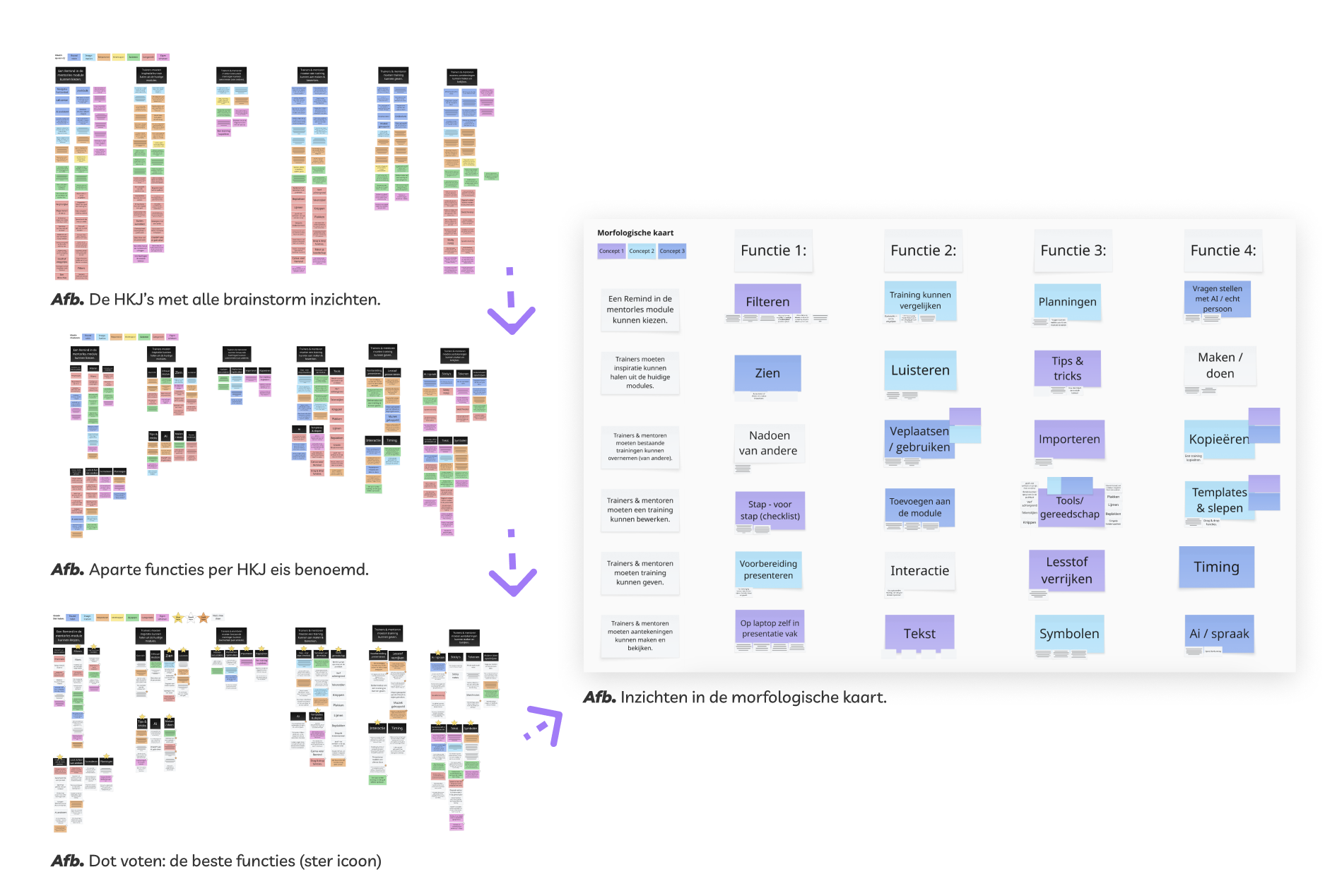
Through clustering and dot voting, I organized and prioritized insights and ideas to define clear design directions. I recognized that the middle of the trainer and mentor process was the most challenging, especially when preparing, creating, and delivering a training. As a result, the design challenge shifted from improving the entire process to focusing specifically on preparing and creating the training/lesson.
Persona results
What are the persona outcomes?
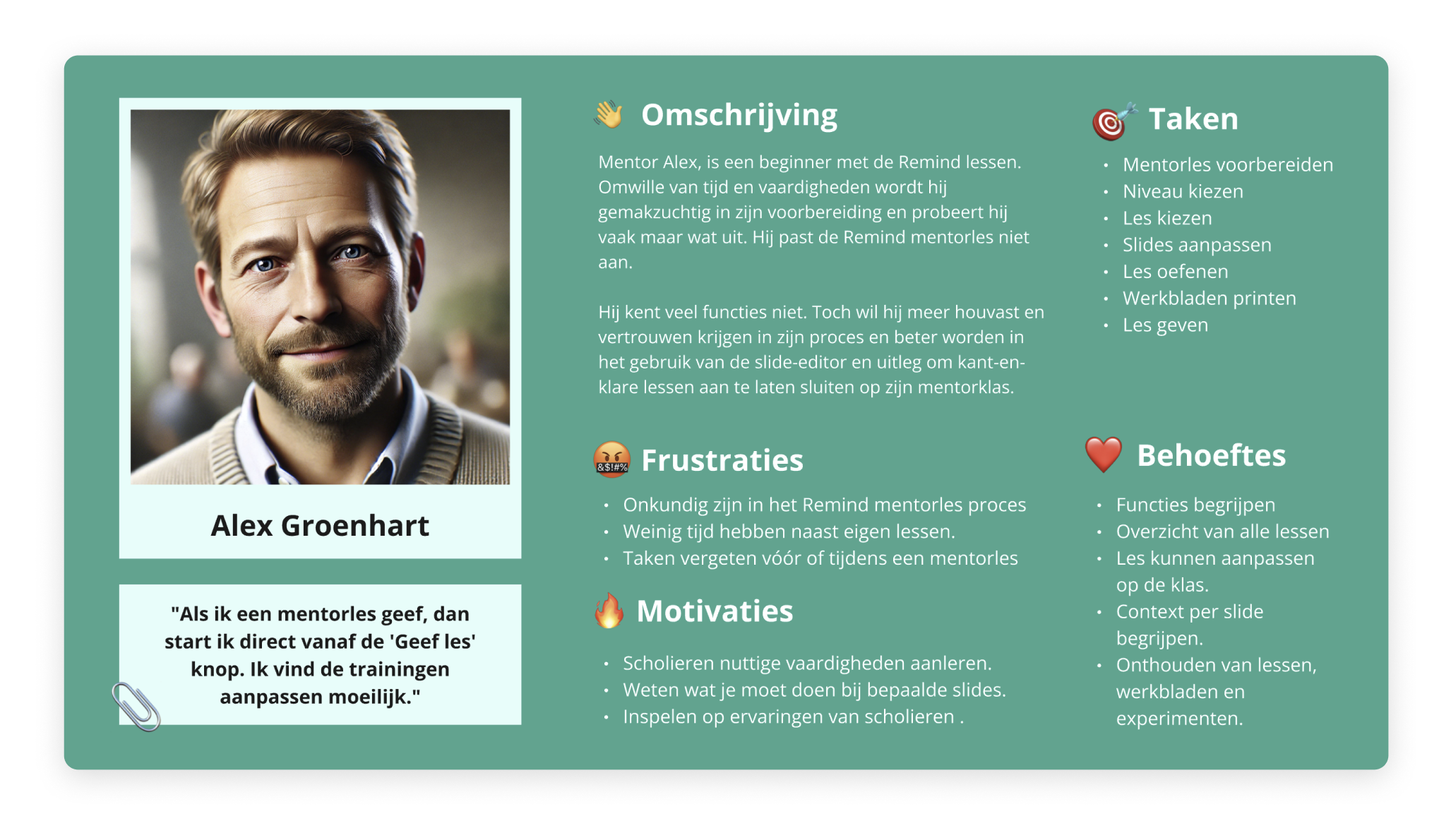
Then I created personas to represent the different user types. I tried to ensure that the most critical insights were embedded in each persona. Across both personas, a clear split in needs and expectations emerged:
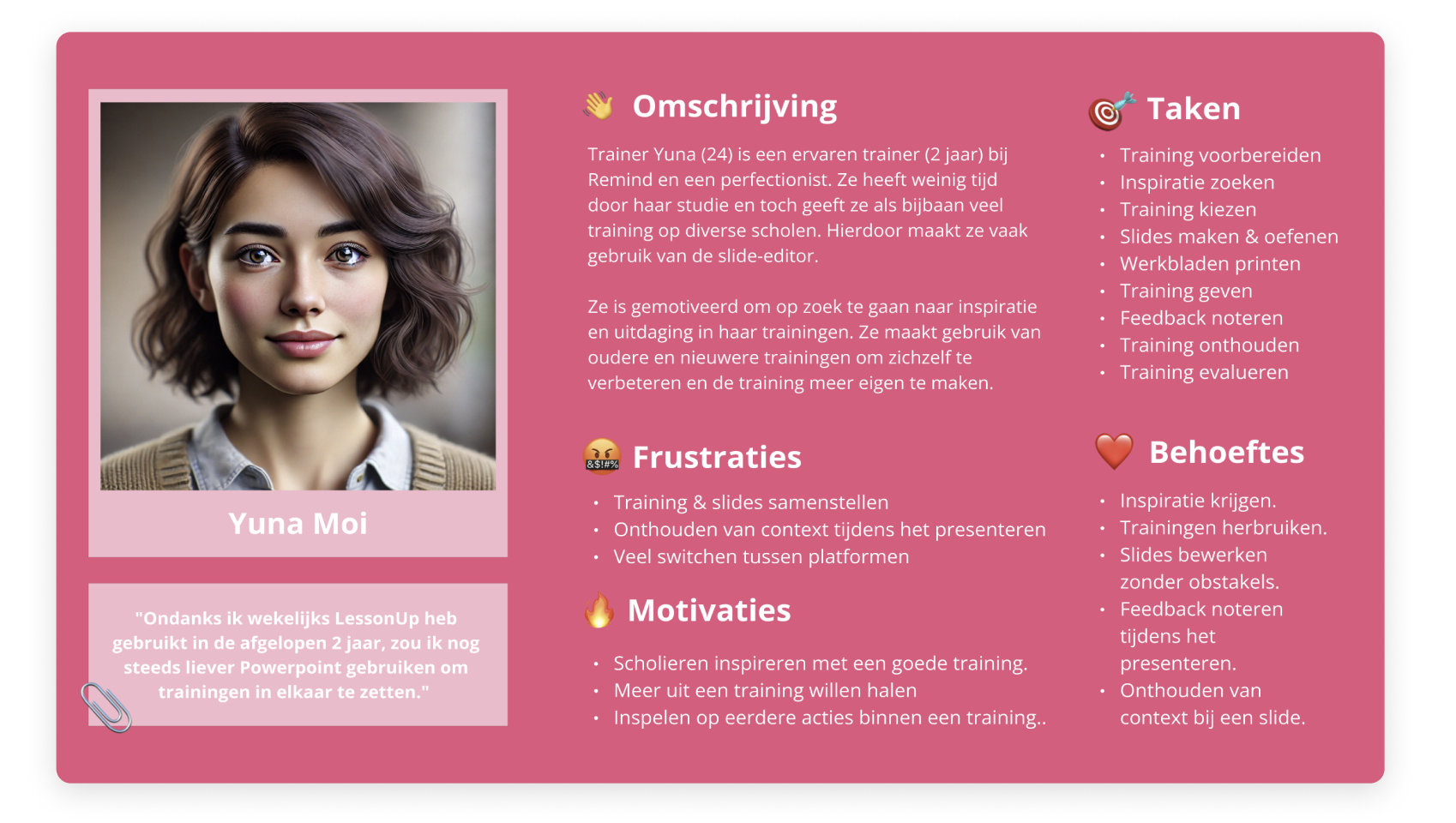
Trainers: Familiar with the process; seek variety and challenge; often reuse past trainings.
Mentors: Need to learn lesson structure and platform use first.
Both groups: Want support during sessions, such as recalling discussion points or viewing private notes alongside slides.
Persona for the trainer user group.
Persona for the mentor user group.
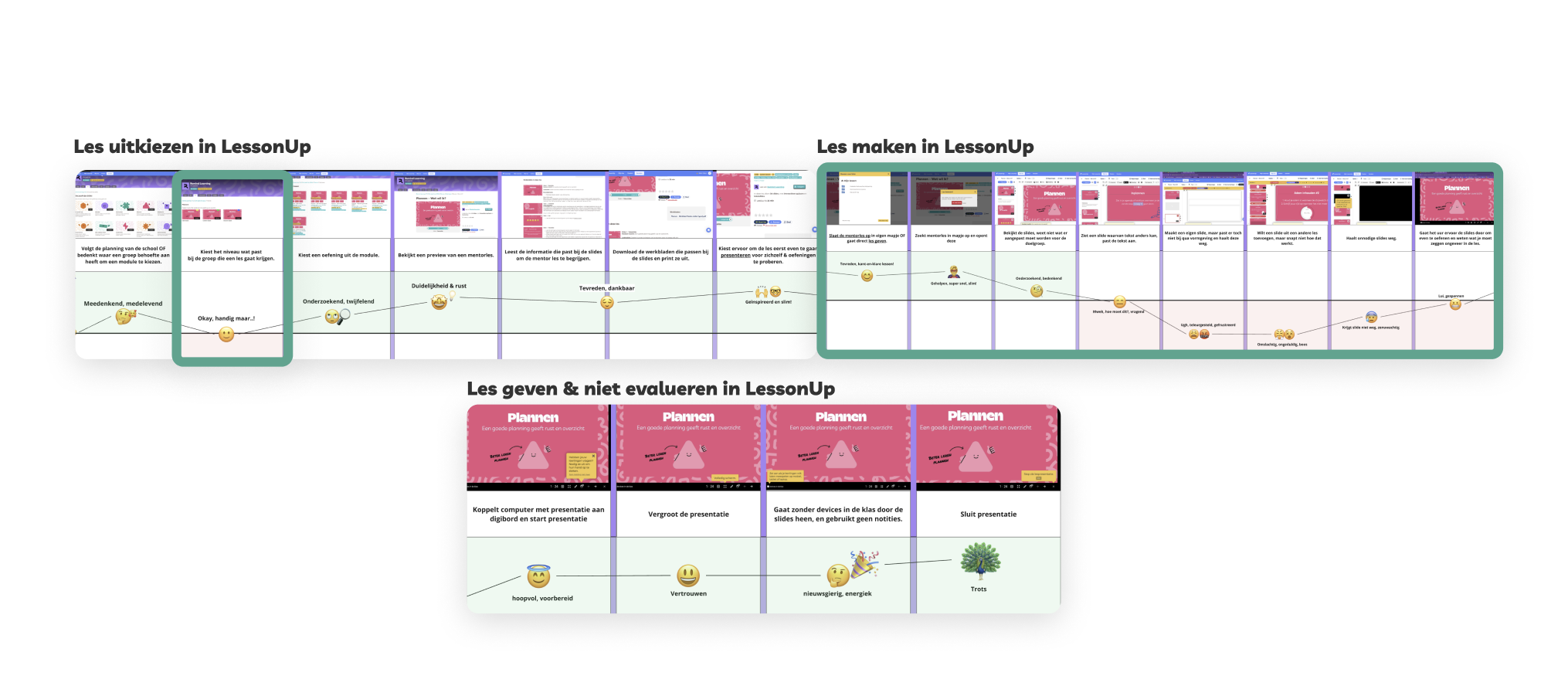
Also I developed an experience map to visualize the user journey, highlight friction points.
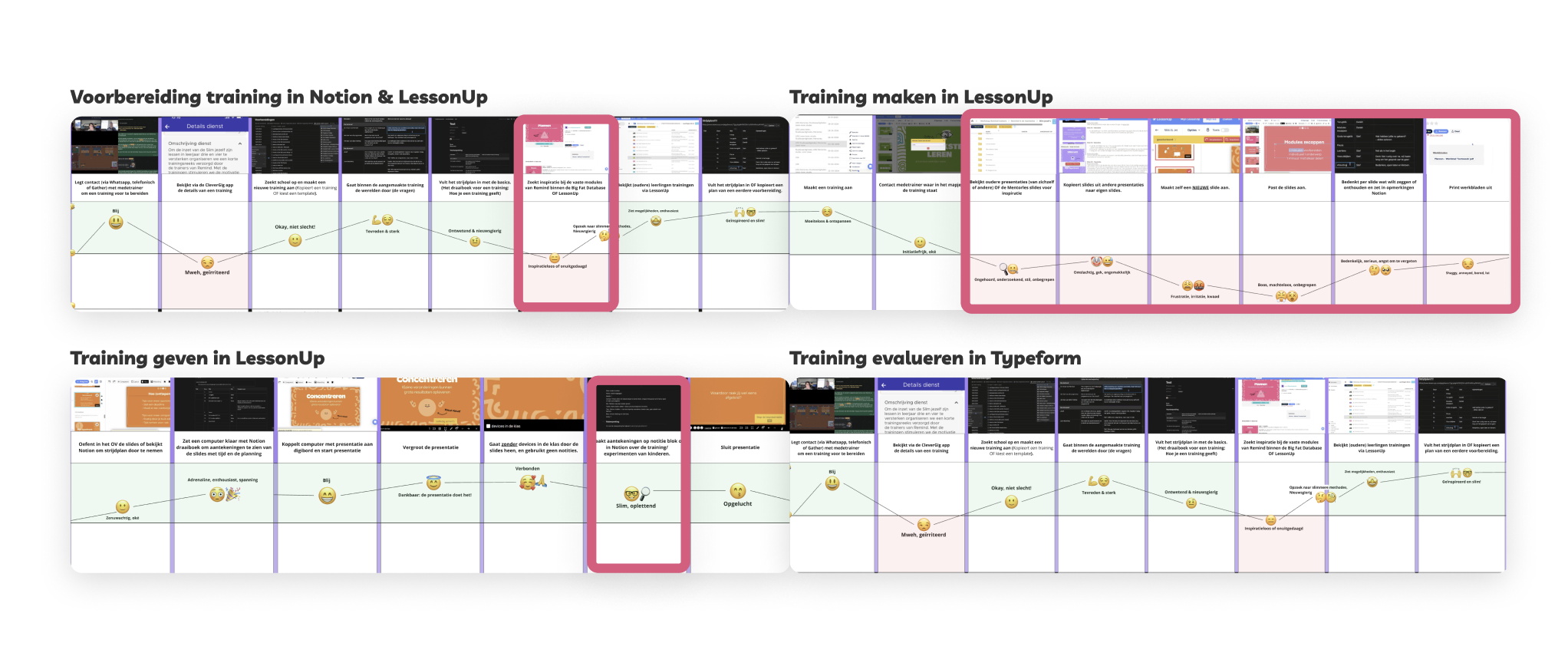
User journey for the trainer user group.
User journey for the mentor user group.
After creating these two journeys and personas, I validated the main functions with both user groups. I then summarized them into Jobs to Be Done.
Intervention
Jobs to be done
What will be the requirements?
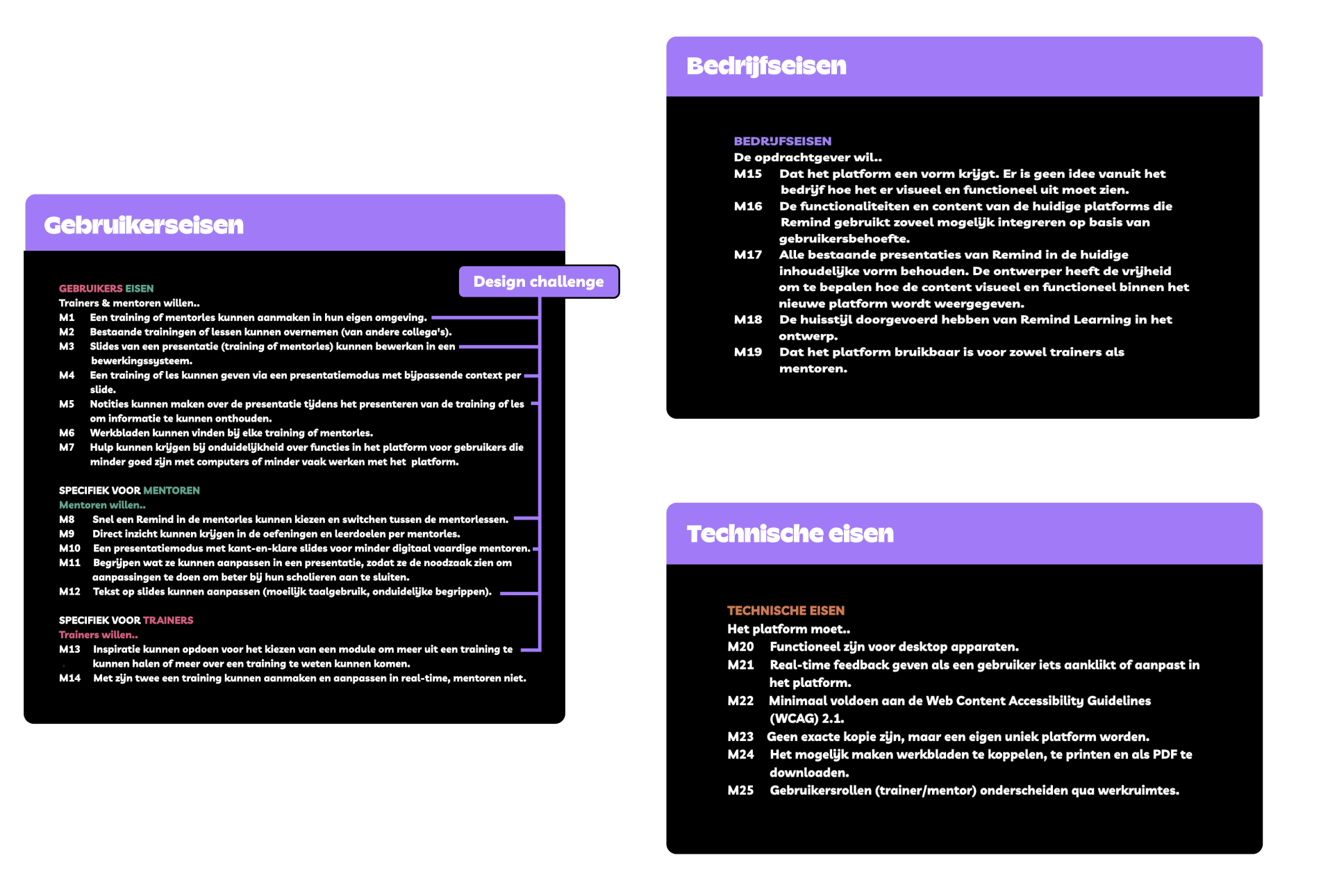
With two main user groups, I translated the Jobs to Be Done into clear requirements and prioritized them using the MoSCoW method to stay focused during development. In addition, technical constraints and client requirements also had to be considered alongside user requirements.
The requirements for users, the client, and the technical constraints.
Core needs
What will my focus areas be?
Because I had a three-month timeframe, I had to make choices and set a focus point after discussing with the client. I identified the following key points:
Ability to create a training or mentor lesson in their own environment.
Ability to edit slides already created by Remind in the editing system.
Ability to deliver a training or mentor lesson with contextual notes included.
Ability to take notes during the lesson in the presentation so that lesson moments or student responses are not forgotten.
Quickly select a Remind lesson or switch between lessons.
Adapt difficult text on slides to make it more understandable for the target audience.
Gain inspiration before creating a lesson to get more out of a training as a trainer.
With these focus I started to do brainstorms.
Impact
Ideate
How did I brainstorm?
Using various brainstorming techniques, I generated a wide range of ideas and explored new perspectives.
Online co-creation session: I divided the design challenge into four stakeholder goals and spent five minutes sketching ideas for each goal.
Round Robin technique: I generated ideas, intentionally “broke” them, and then improved them further.
Image-ination brainstorm: I searched for images to create associations with the design challenge and explore new angles for ideas.
Teleporting: To stimulate out-of-the-box ideas, I brainstormed from the perspective of different time periods (hunter-gatherers, the Dutch Golden Age, and 2050).
Acting: To generate unexpected outcomes, I brainstormed from the perspective of unusual characters (Princess Amalia, a dog, Eleven from Stranger Things).
Individual sketches per HKJ: After the user interviews, I had already come up with ideas and created lo-fi sketches of various features.
How I clustered and dot-voted the brainstorm ideas into the morphological card.
Conceptualize
How did I chose the final concept?
After clustering I came up with three concepts with different solutions.
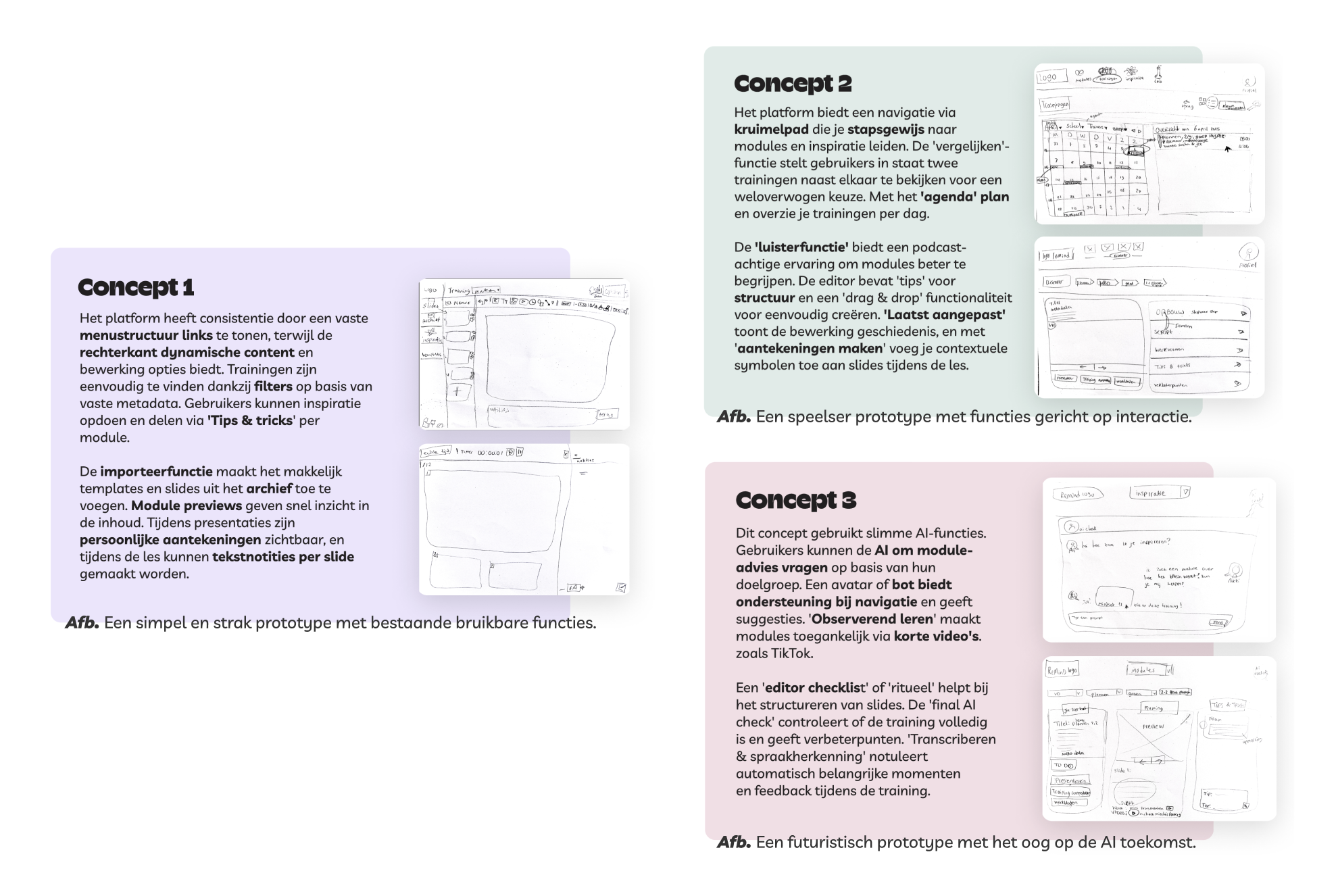
All concepts.
To test my ideas on a small scale, I created paper prototypes for some of the concepts and reviewed them with the stakeholders. I also placed the concepts into a Harris profile to see which ideas best fit the requirements.
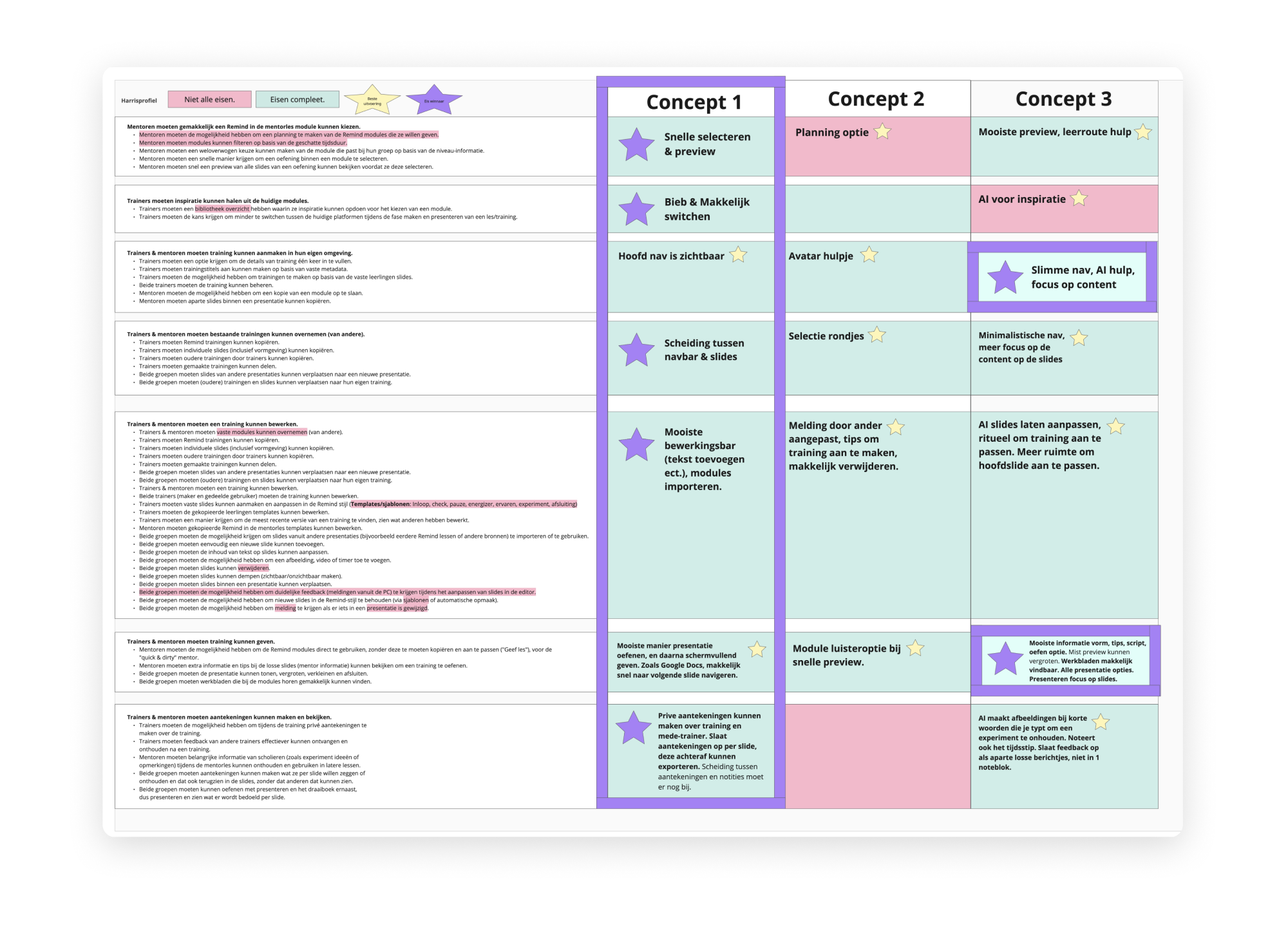
Concept one emerged as the winner in the Harris profile, incorporating some ideas from the other concepts.
Solutions
Which ideas became relevant?
All worked out ideas into one overview.
Implement
Prototyping
How did the design changed?
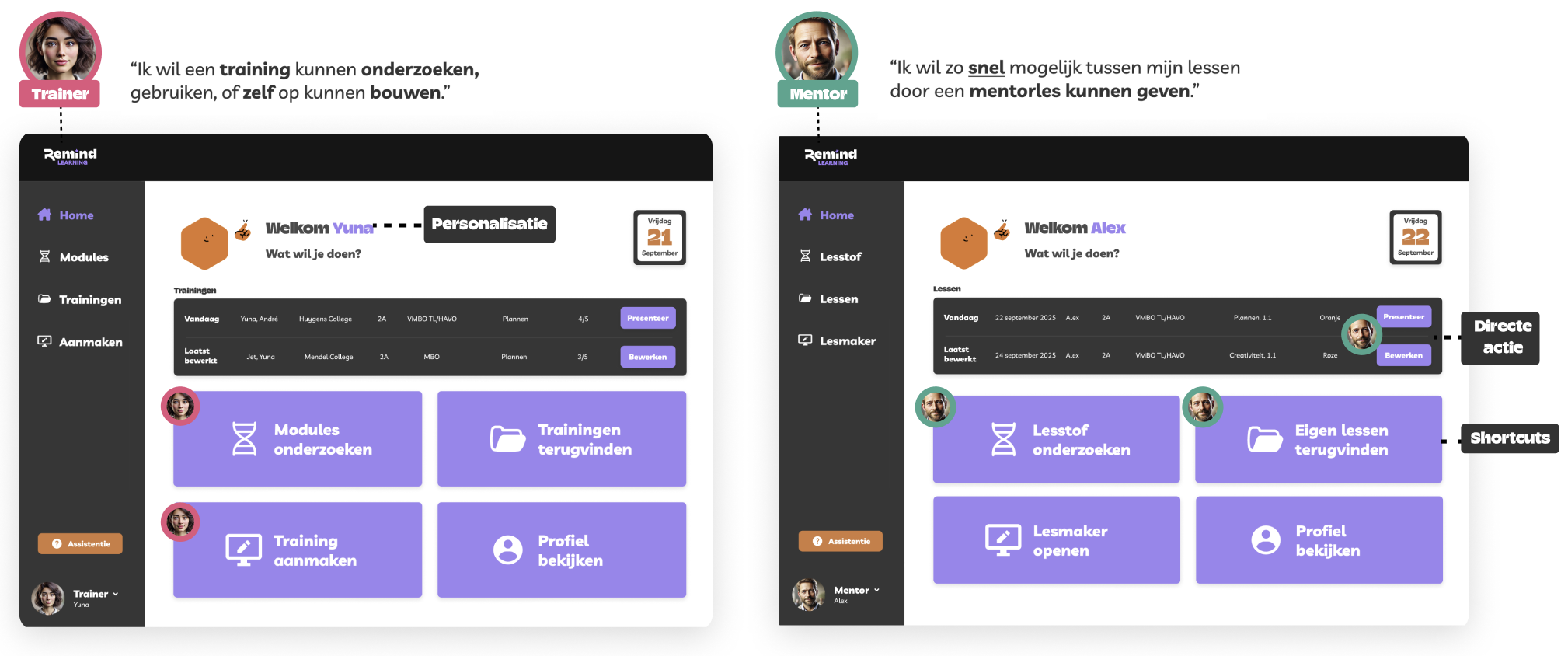
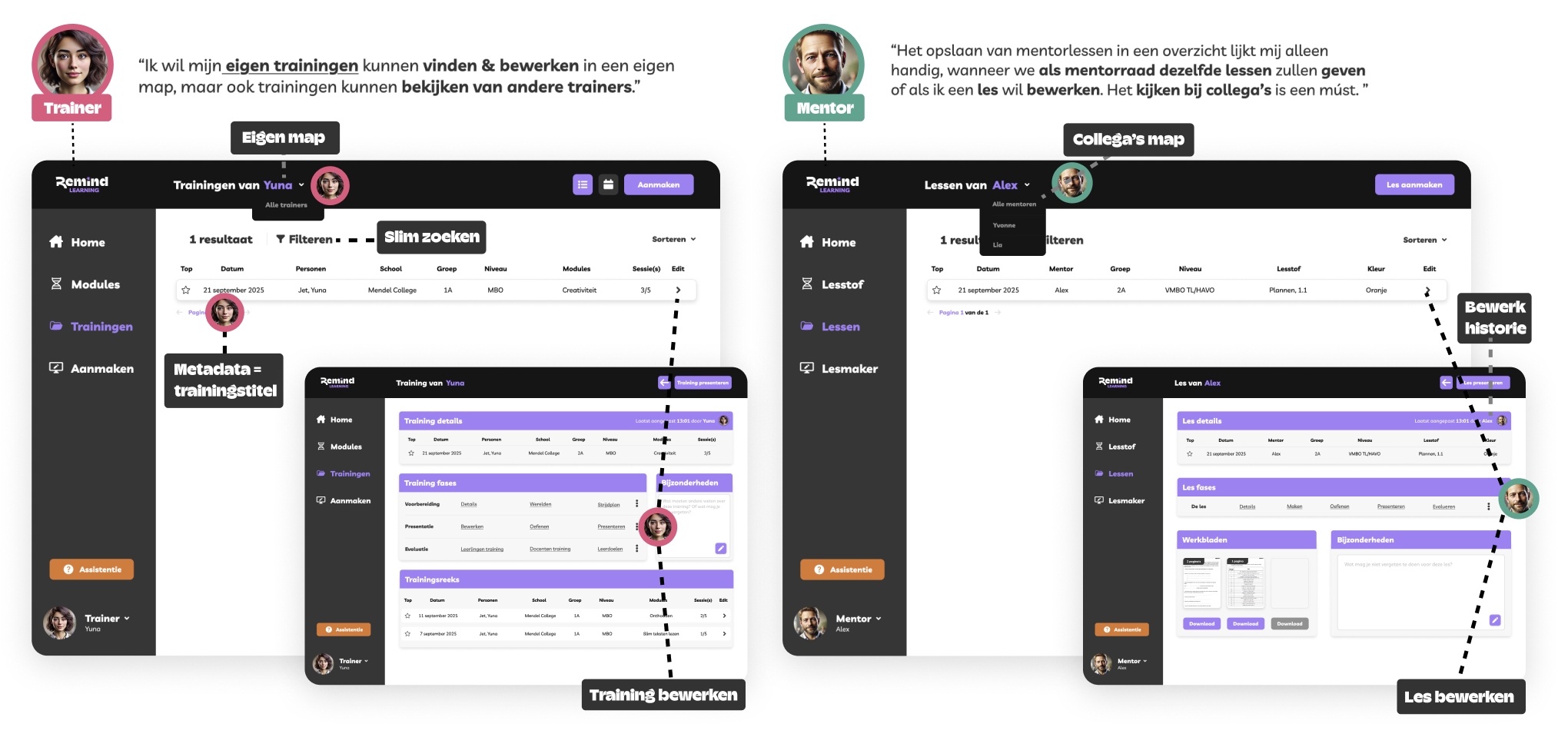
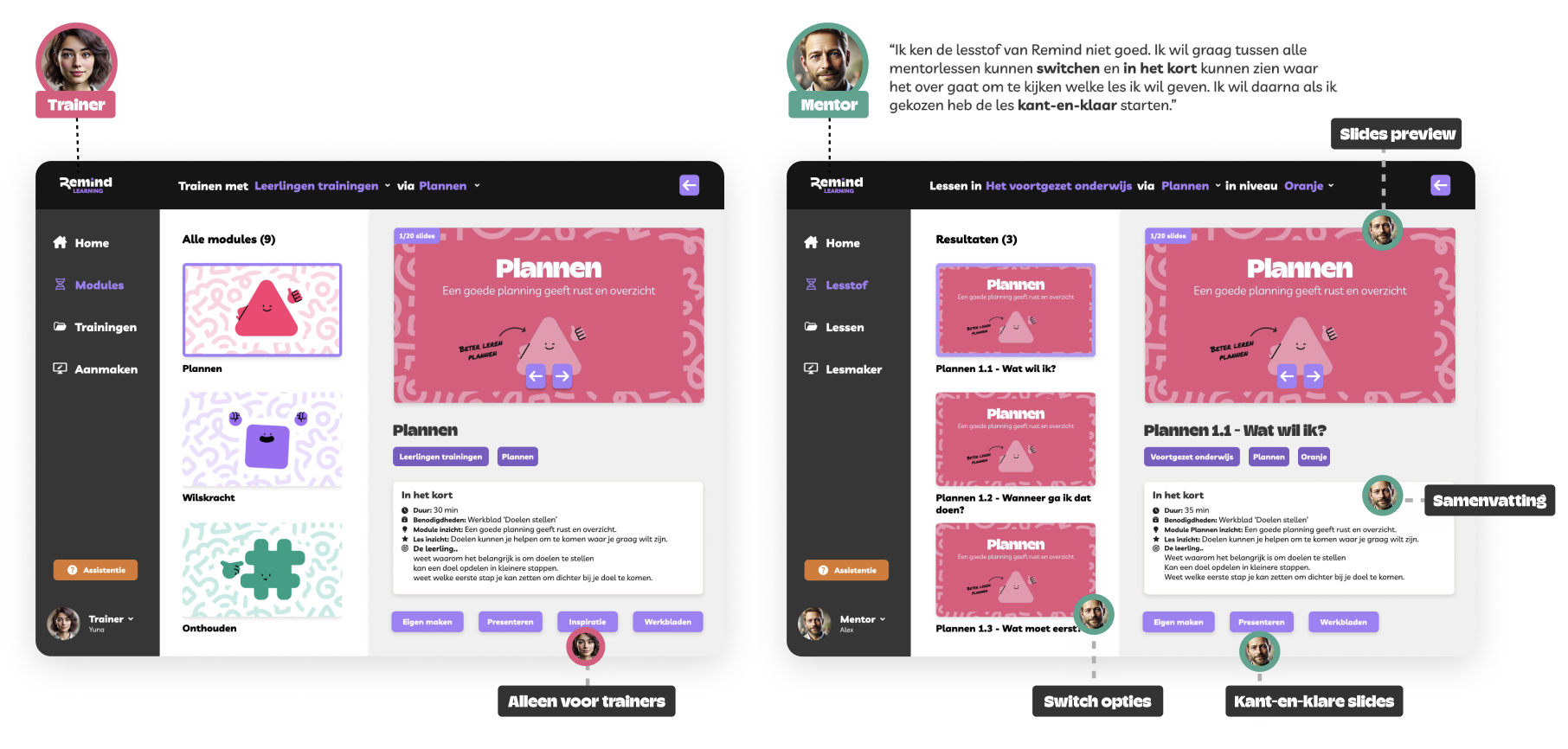
In Figma, I designed the happy-flow prototype, representing the ideal user flow, which could then be tested with users. The prototype had in total 6 iterations from LoFi to HiFi.
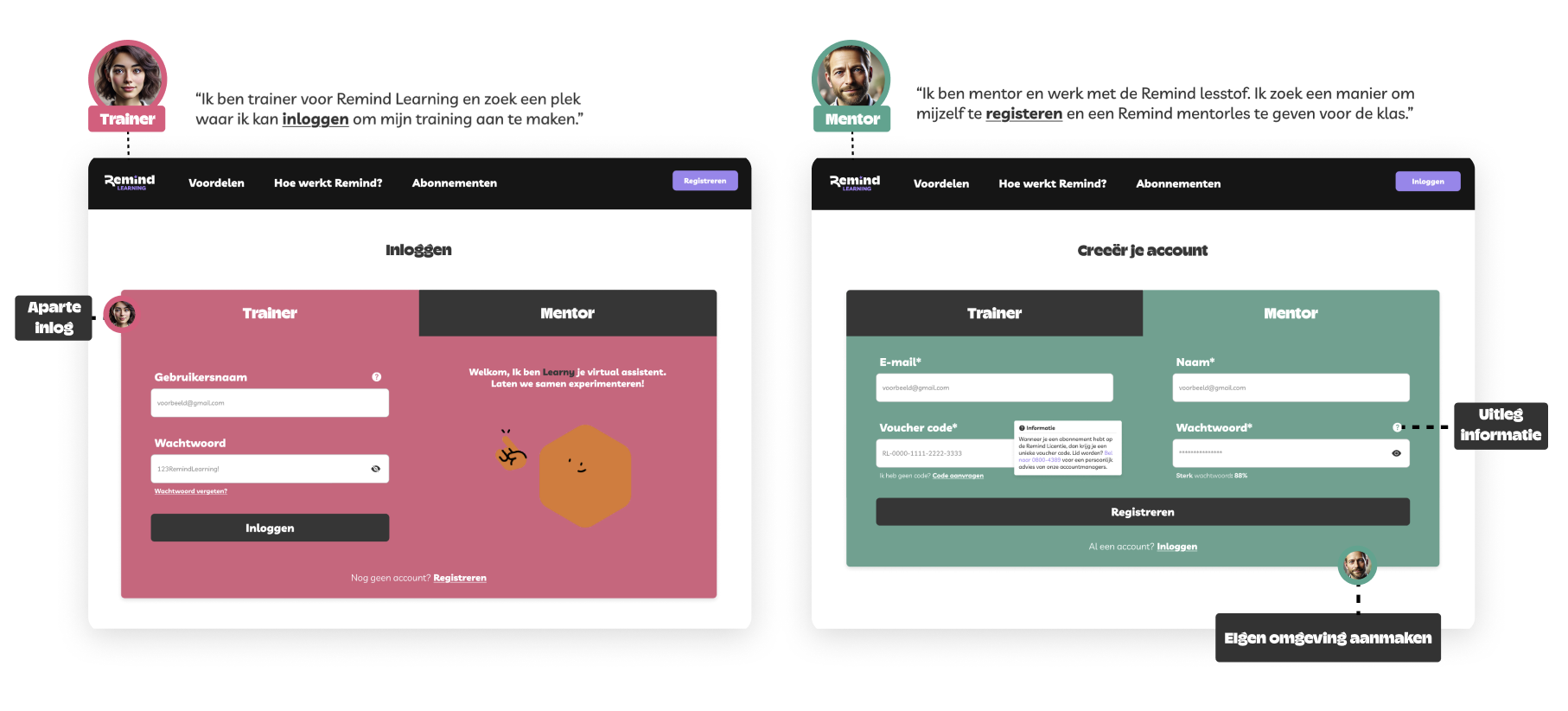
Environment per user role
Ability to create a training for a trainer or a mentor lesson for a mentor in their own environment.
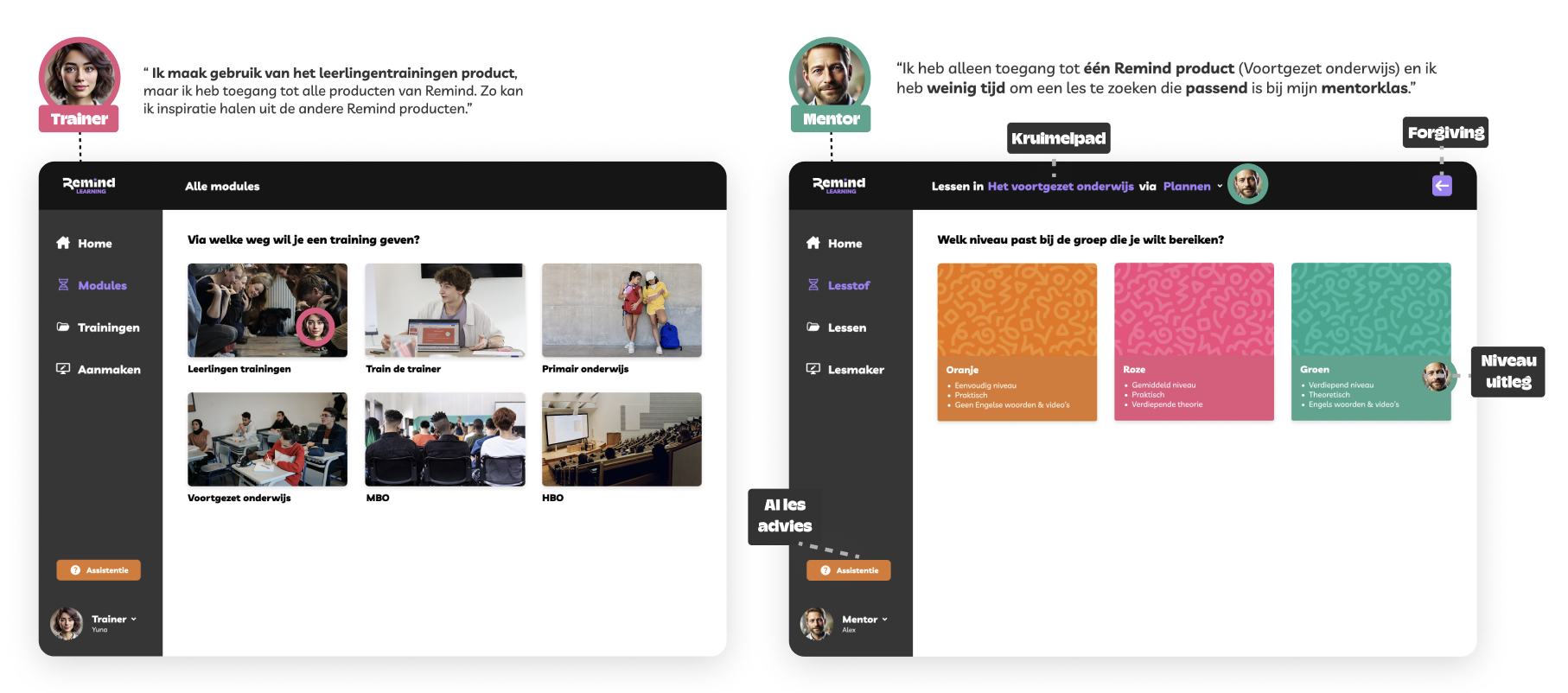
Choose an Remind training or lesson
Quickly select a Remind lesson or switch between lessons.
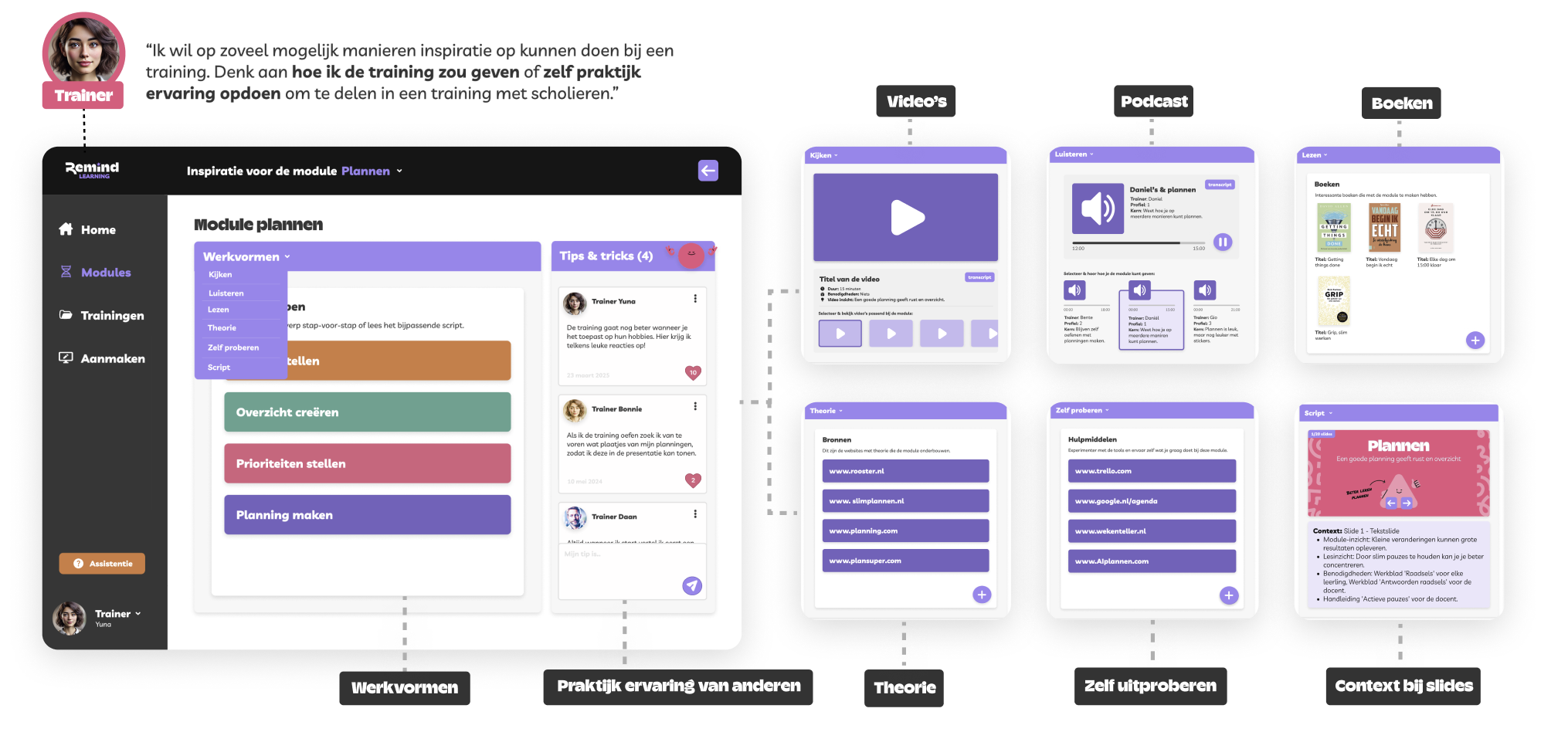
Gain inspiration
Gain inspiration before creating a lesson to get more out of a training as a trainer.
Edit slides
Ability to edit slides already created by Remind in the editing system & adapt difficult text on slides to make it more understandable for the target audience.
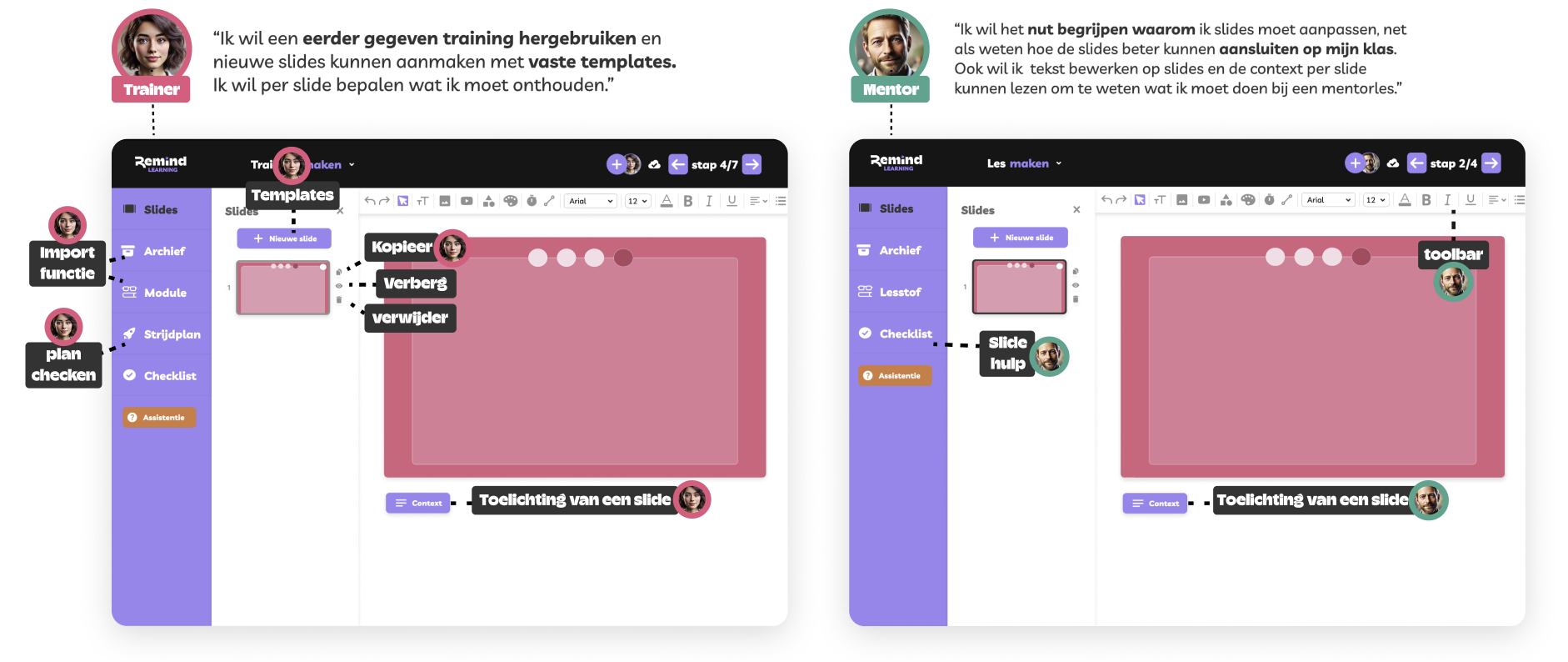
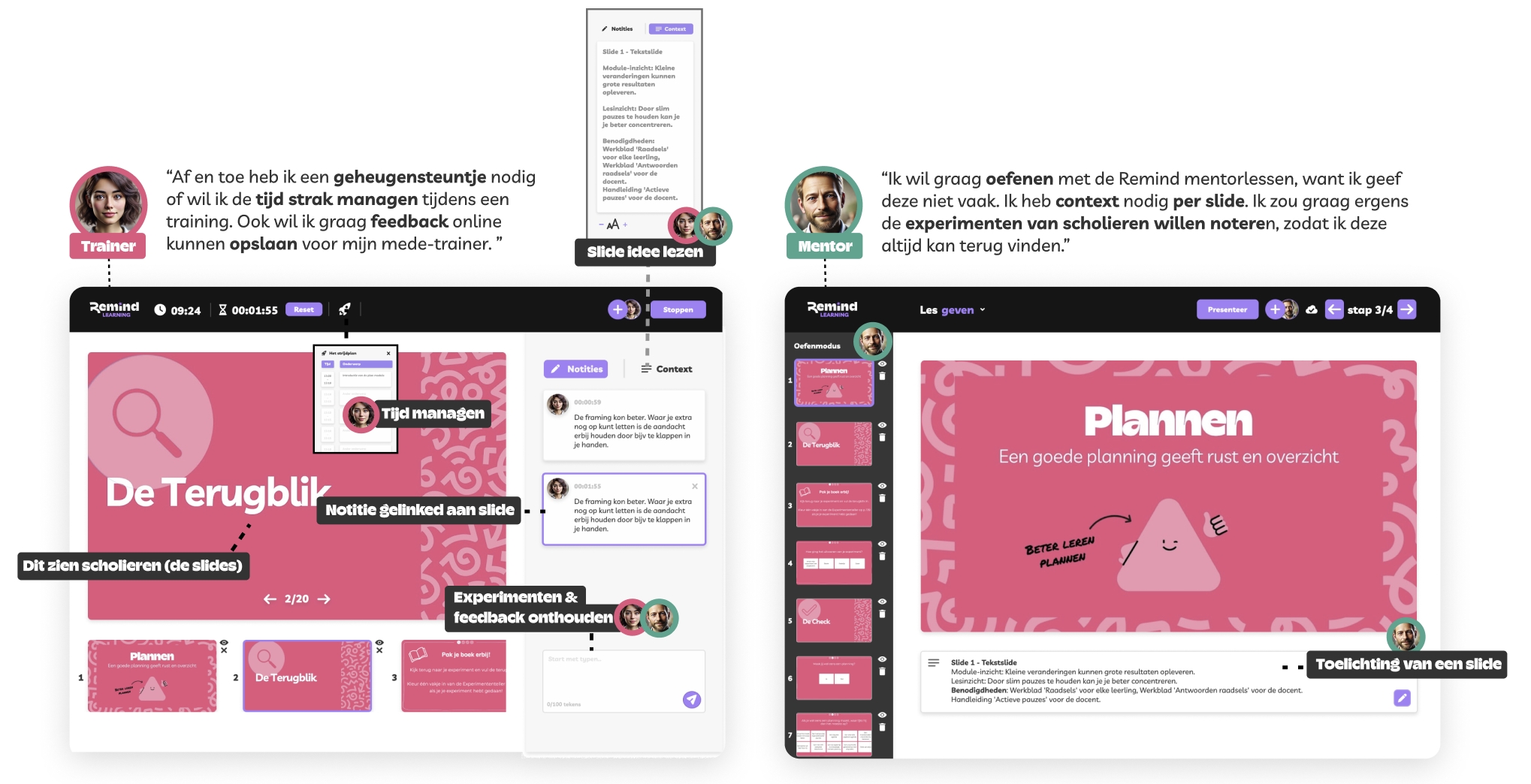
Context per slide & taking notes
Ability to take notes during the lesson in the presentation so that lesson moments or student responses are not forgotten, and to deliver a training or mentor lesson with contextual notes that are hidden from the audience and only visible to the presenter.
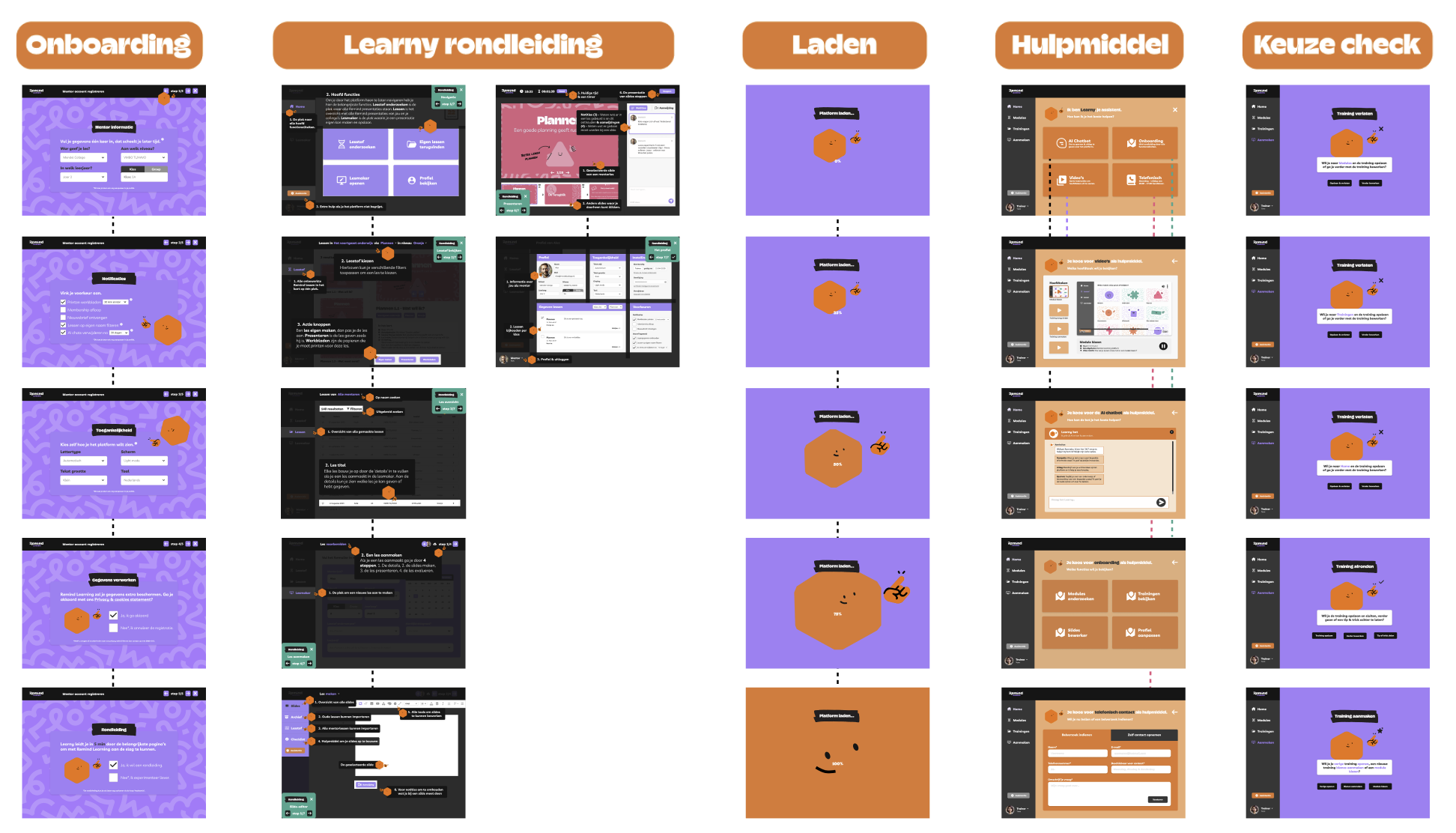
Extra help
Ability for mentors to understand the platform and receive guidance through a mascot called Learny (from the Remind style guide), as they do not use the platform as often as trainers.
Final result
How does the new platform look like?
Dutch prototype
English prototype
Validation
Testing
How did I validate the prototype?
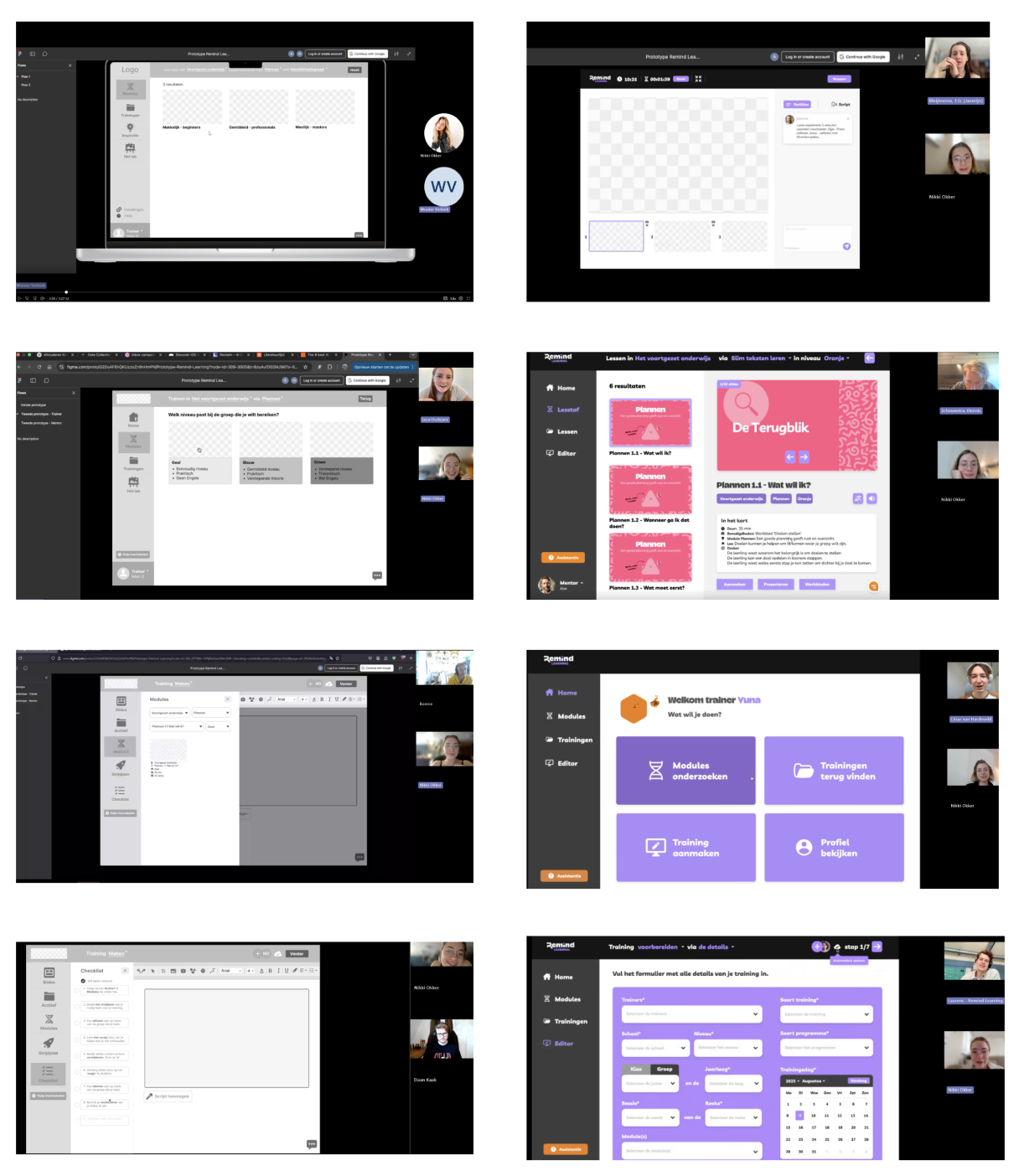
I couldn’t create the entire platform alone within two months, that's why I chose the happy-flow. The first month was dedicated to research and ideation, and during the second and final month, I prototyped both Dutch and English versions. During the 6 iterations from lofi to hifi, I spoke with a total of 22 stakeholders to test the different versions.
I researched trends and best practices, mapped potential functionalities, and conducted expert interviews on features, AI, and accessibility. I then tested prototypes with users across multiple rounds to gather feedback, uncover usability issues, and ensure all requirements were met.
User tests during different iterations.
Reflection
Is it technically feasible?
Yes, the platform is technically feasible. During the design process, I consulted technical experts. A developer confirmed that all desired features are achievable and explained how, while an AI expert provided guidance on chatbot integration, aligning with my EdTech trend research showing AI’s importance for stakeholders and future relevance.
Together with the client, I presented the HiFi prototype to international developers interested in realizing the project. They described it as 'straightforward', but advised thinking bigger to make it more cost-effective, scalable, and aligned with Remind’s overall mission. The value proposition supports this advice, suggesting expansion to include two additional user groups: admins and students.
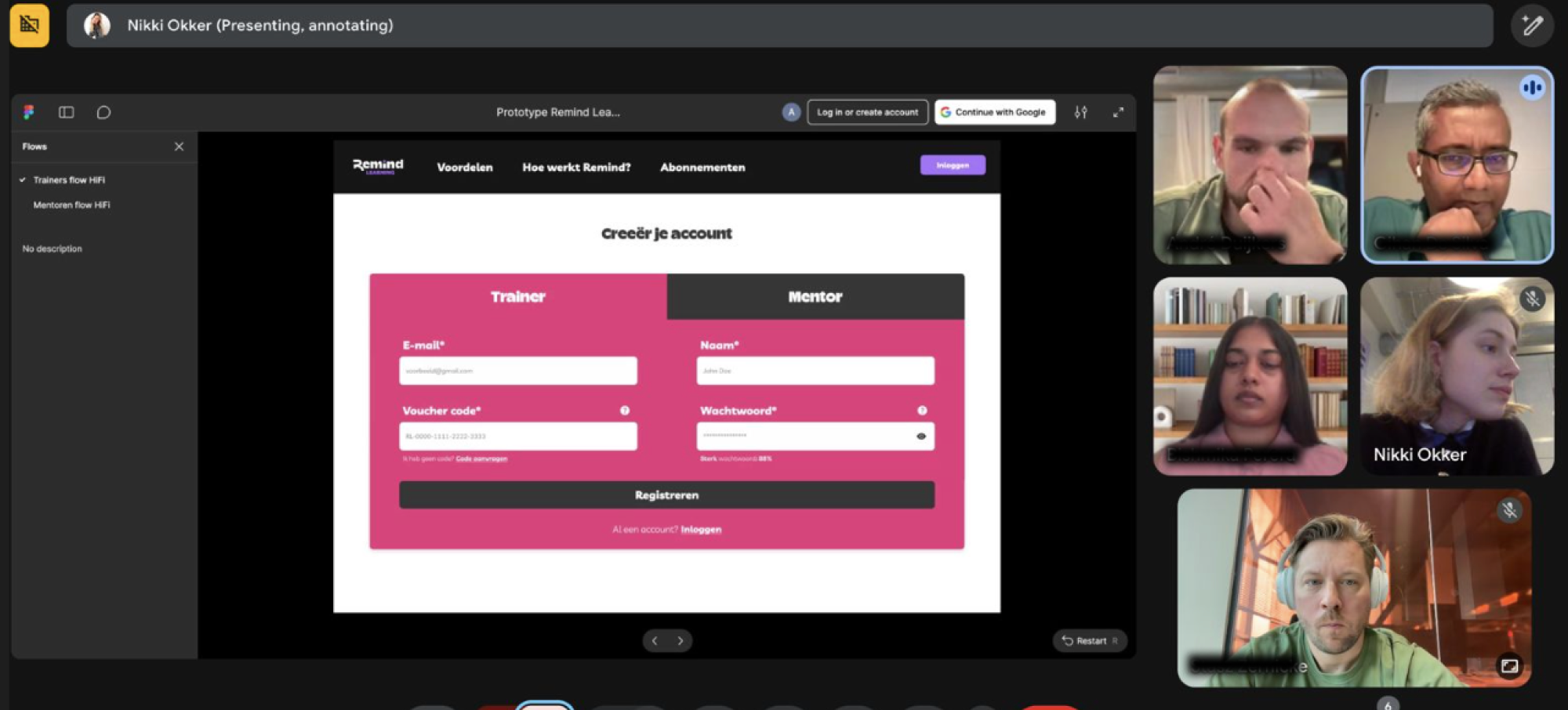
Validation with international developers.
How did the stakeholders experienced the new platform?
“Can this platform be realized now?” - Trainer D
“This system has everything I need as a trainer.” - Trainer M
“It takes me less time as a mentor to prepare a mentor lesson.” - Mentor J
“I understand all the functions on the platform without any explanation." - Mentor M
“It’s great that you can now inspire each other too.” - Trainer C
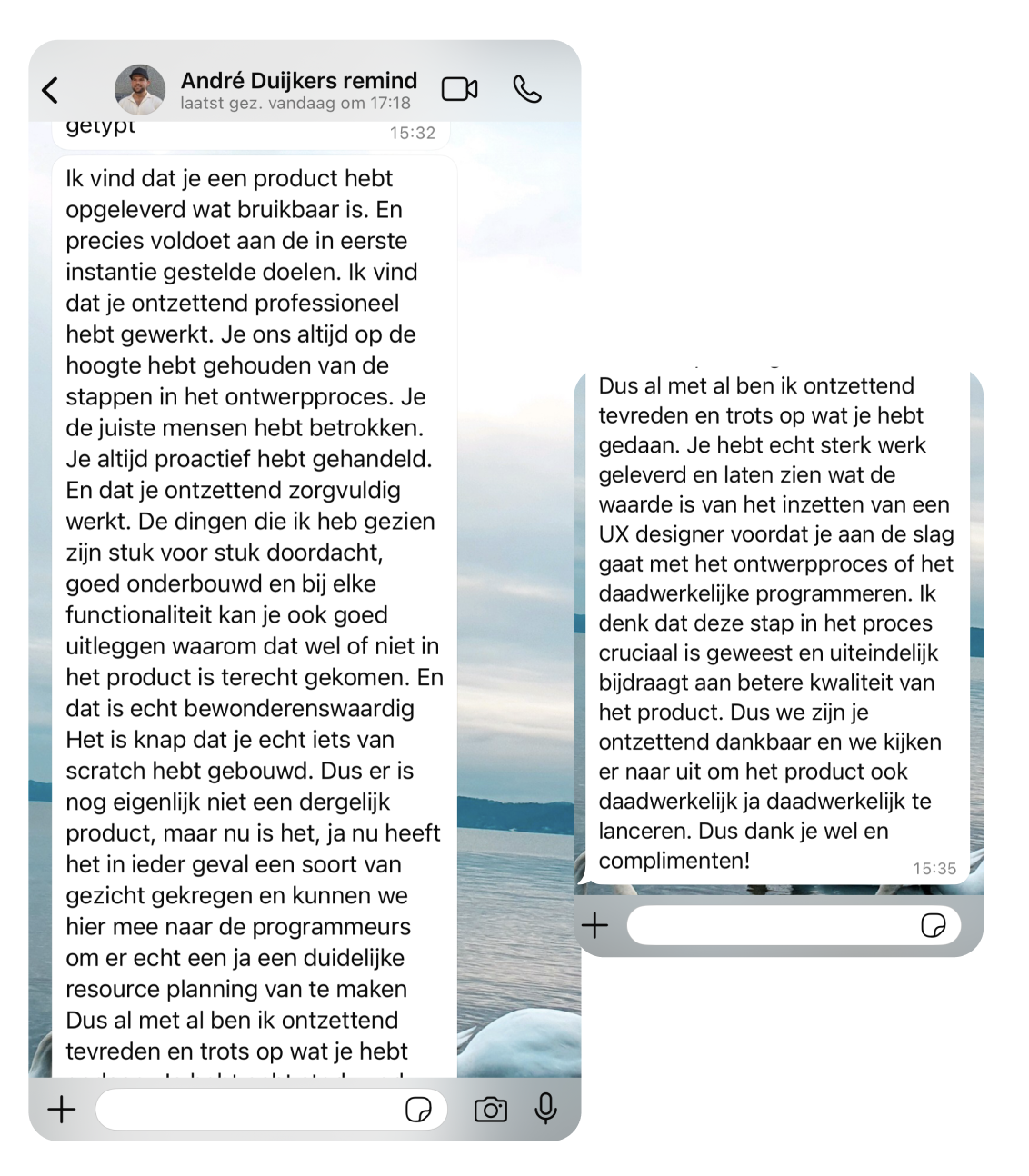
Co-owner at Remind Learning
UX Lead at Remind Learning
What are potential next steps?
I conducted an ethical and societal reflection on platform misuse, autonomy, inclusivity, accessibility, sustainability, and future-proofing. Key considerations for the future include:
Data management: Detect duplicate presentations and use feedback to improve master versions, avoiding unnecessary copying.
Inactive accounts: Flag or remove inactive accounts, or monitor them to encourage engagement.
Future-proofing: Involve new stakeholders, such as students and admins, and conduct regular evaluations to optimize the platform.
Ethical guidelines: Implement policies for responsible use, even in potential future transfers or sales.
Recommendations aligned with Remind’s mission, to think big:
Add user groups: Students can engage with Remind theory online, allowing mentors to track experiments or review homework. Admins can manage and monitor the platform.
Offline mode: Enable lesson modules and presentations to work offline, so trainers and mentors aren’t dependent on internet access.
Accessibility as a core principle: Ensure the platform meets all WCAG guidelines as an integral part of the design, not as an optional feature.
Feedback loops: Collect feedback through surveys, usage data, and chatbot analysis to prevent unexpected disengagement.
Results
The outcome of this project.
A format: Provides the client with a starting point to further develop a potential future platform.
Style guide compliant: Fully designed according to the Remind Learning style guide.
Research insights: Extensive research on trainers and mentors and their workflows, incorporating additional ideas.
User needs: All requirements have been integrated into the platform.
Prototype translated: Two prototypes developed, allowing international developers to continue the work.
Next steps: A document prepared for the international development team with all details to advance the design challenge when more budget is available.